products /
Hugo Optina Theme available
Hugo Optina Theme is the theme this site is built with. It is styled after a monochrome terminal: a charcoal background, monospace type, a command prompt in the header and a single accent color, orange by default. It suits a small site with a products section, a blog and a few plain pages. It installs as a Hugo module and needs no build step beyond Hugo itself.
Overview
The theme gives a site a landing page and a header, plus a footer for
secondary pages. Each folder under content/ becomes a section, and each
section is shown in one of three styles, so a site is organized by its
folders, not by the theme’s own categories. Every template can be replaced
from the site, and the theme’s source and its example site are in the
repository.
Screenshots
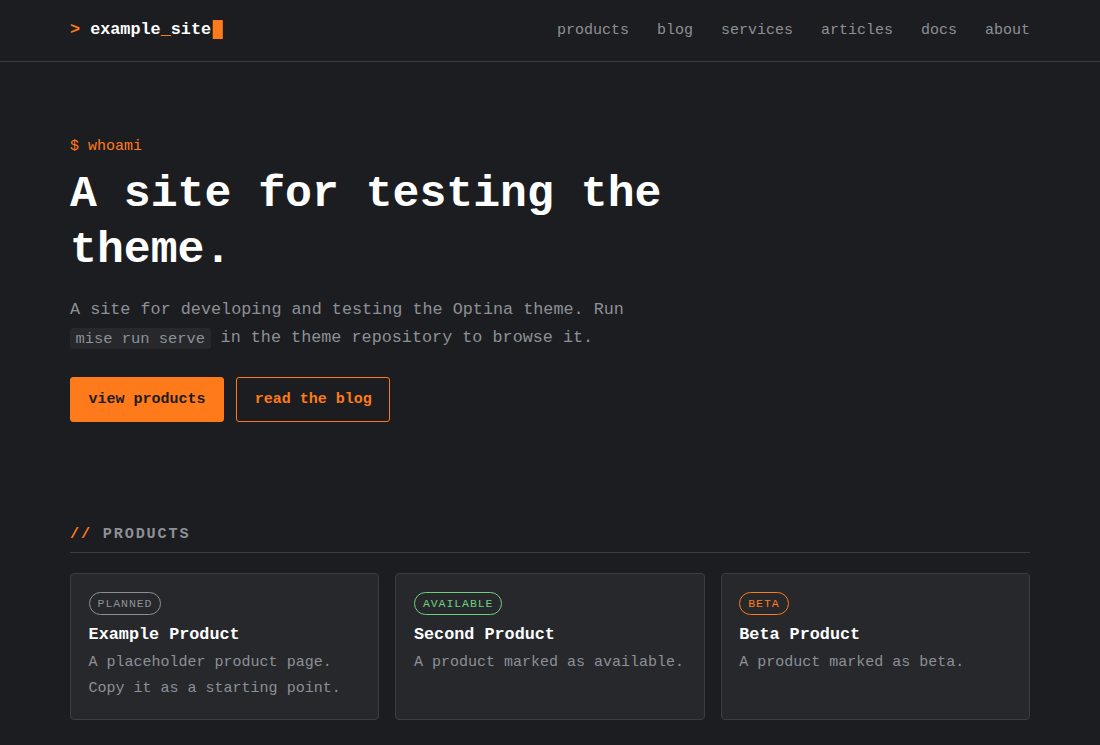
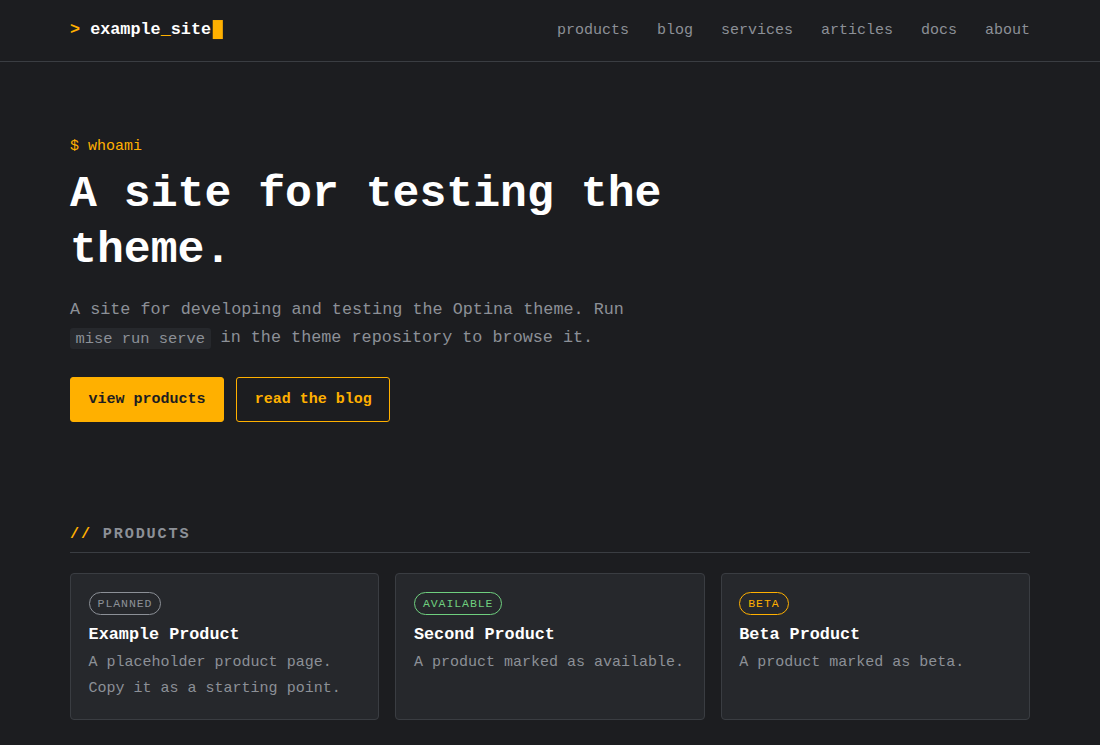
The home page, with the hero buttons and the featured products and posts:
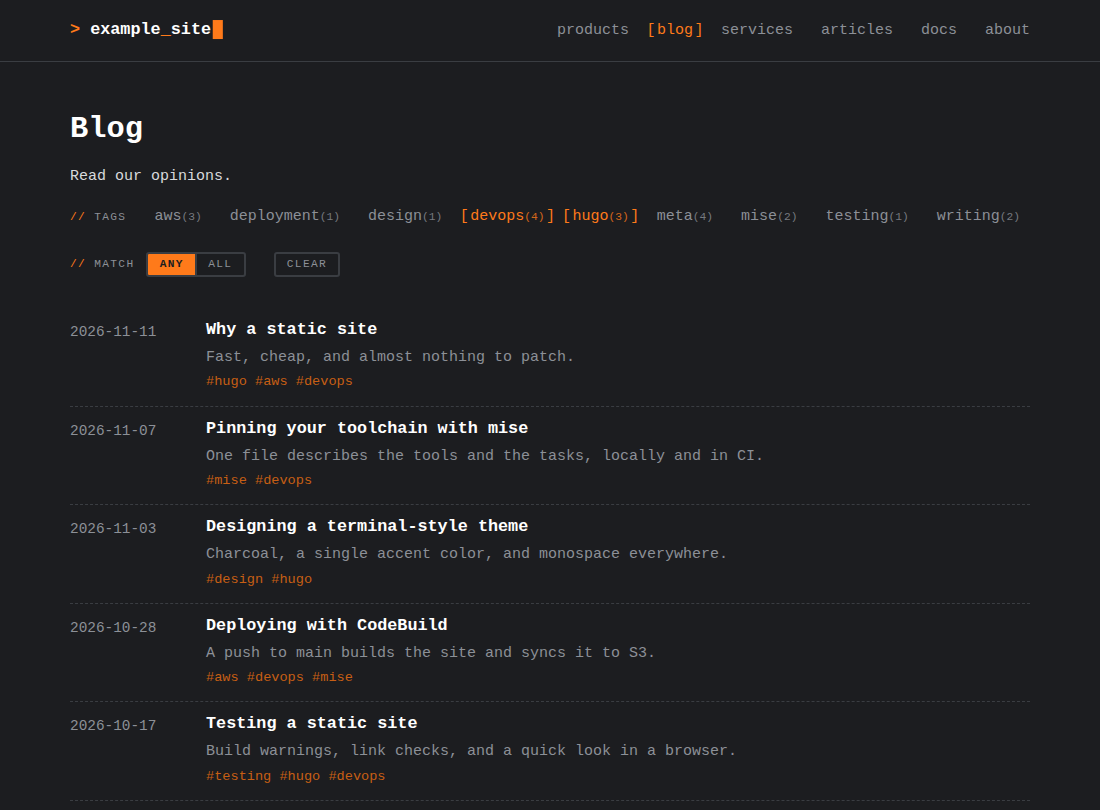
A blog section with two tags selected in the tag filter, and the match switch:
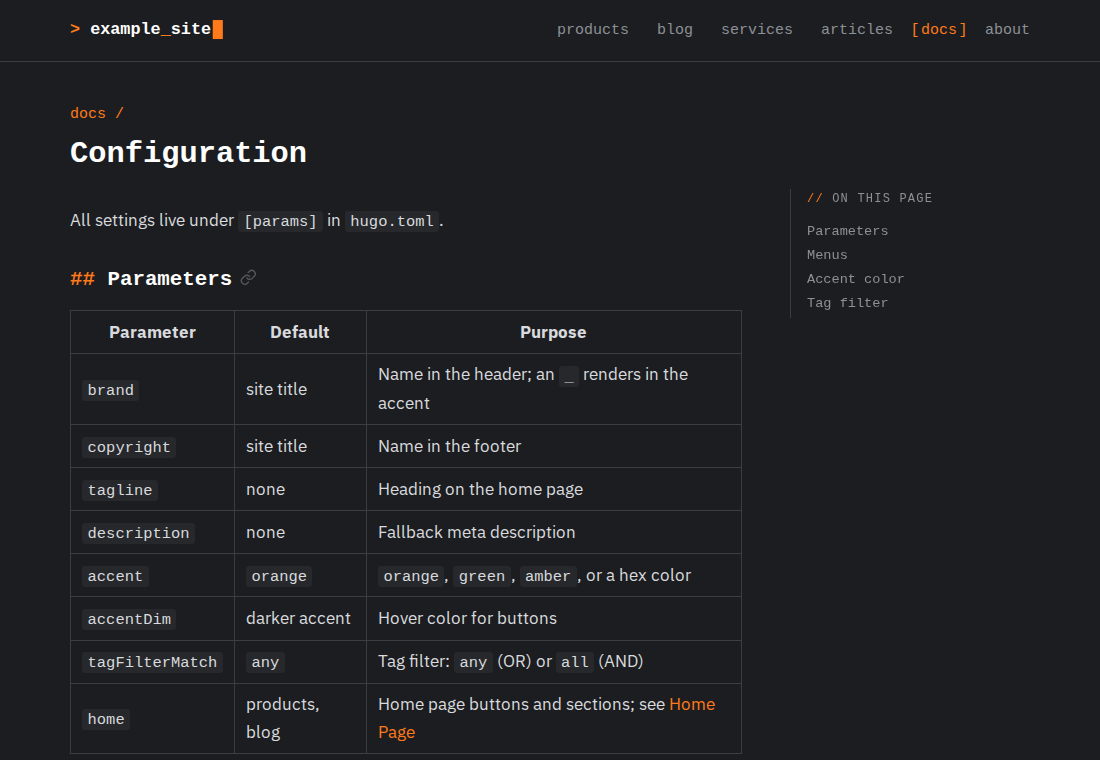
A documentation page, with its “on this page” list beside the text:
Accent colors
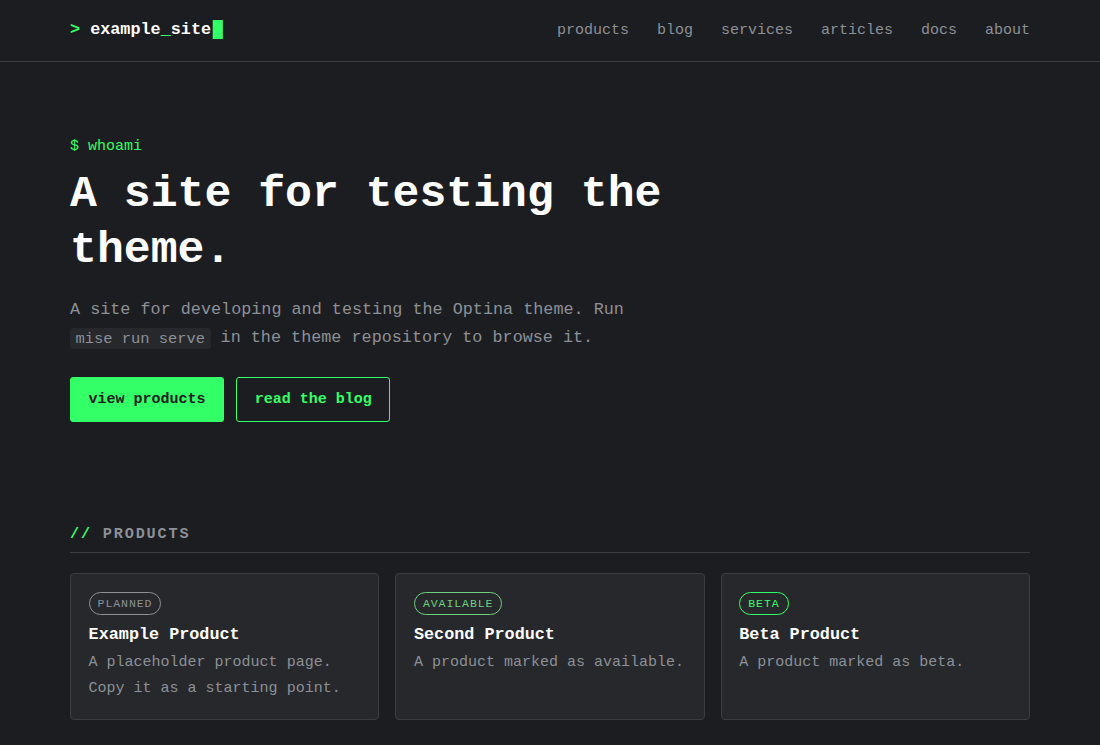
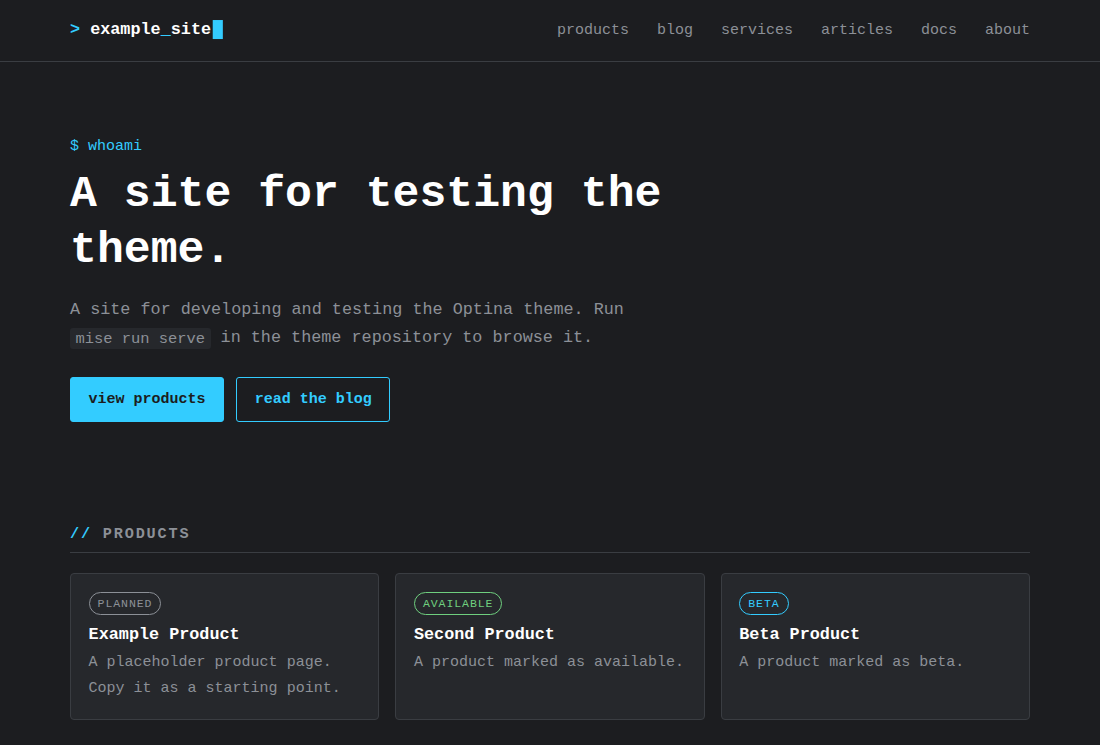
The accent is the only color the theme asks you to choose. These are the same
home page with accent set to green, amber and the hex color #33ccff.
Orange, shown above, is the default.
Features
- Three section styles. Cards suit products and services, a dated post list
with a tag filter suits a blog, and a plain list of titles and summaries
suits documentation. You choose the style for each section in its
_index.md. - A tag filter on post lists. Readers can pick several tags and choose whether a post needs any or all of them. The selection is kept in the address, so a filtered list can be shared. Without JavaScript the full list is shown.
- Status badges. A product page can be marked
planned,betaoravailable, and the badge appears on its card and on the page. - A configurable home page. The buttons and the featured sections are set
in
hugo.toml. By default the home page features the latest products and posts. - Page navigation. Pages with
##or###headings get an “on this page” list and a link beside each heading. - A footer menu. Pages such as a privacy policy, contact or terms can be listed in the footer, apart from the main navigation.
- Accent colors. Choose orange, green or amber, or give any hex color.
- Customization by override. Hugo reads your site before the theme, so you can replace any layout, partial or the stylesheet by creating a file at the same path.
Using the theme
Import the theme as a Hugo module in hugo.toml:
[module]
  [[module.imports]]
    path = "gitlab.com/optina/hugo-optina-theme"

[params]
  brand = "my_site"
  copyright = "My Company, LLC"
  tagline = "Home page heading"
The site needs a Go module of its own, which hugo mod init creates. The
repository README lists every parameter, the front matter each section style
reads, and the files you can override.
Requirements
The theme needs Hugo 0.158 or later. The extended edition is not required.
Source and license
The code is on GitLab . It is released under the MIT License. It bundles IBM Plex Sans, which is licensed separately under the SIL Open Font License.